
For parents and guardians
Elaarn for parents and guardians
Link your child, see how they're practising, and keep brothers and sisters on one phone, each with their own progress.
01
Link your child
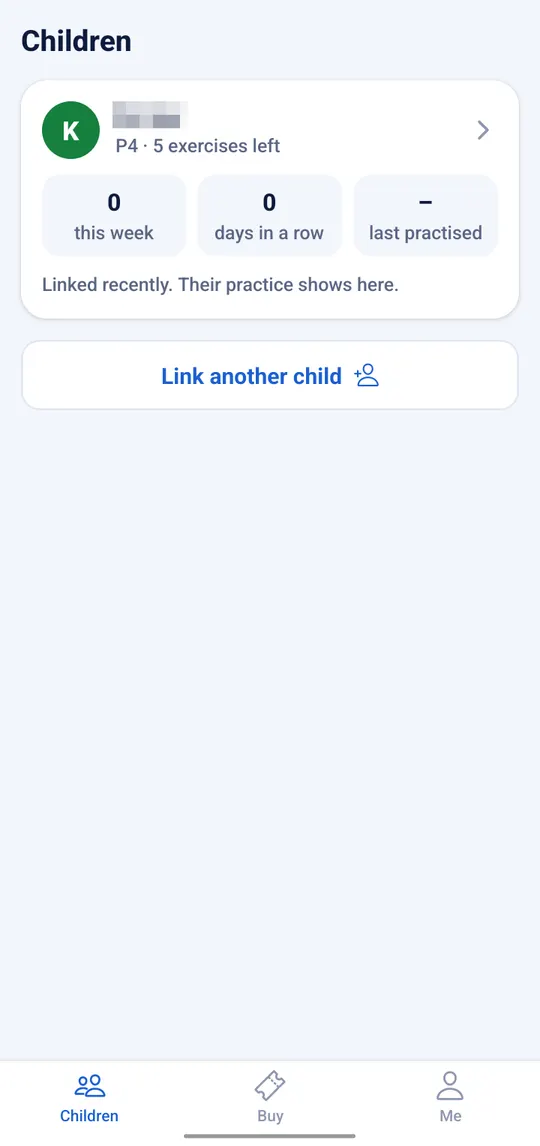
Choose I'm the parent or guardian, then Link a child with your child's phone number. You can add your name as your child knows you, such as “Mum”. Your child taps Yes, that's my parent in their app.
Each child gets a card with their class, exercises left, and how they practised this week. Add more children with Link another child.
02
See each child's practice
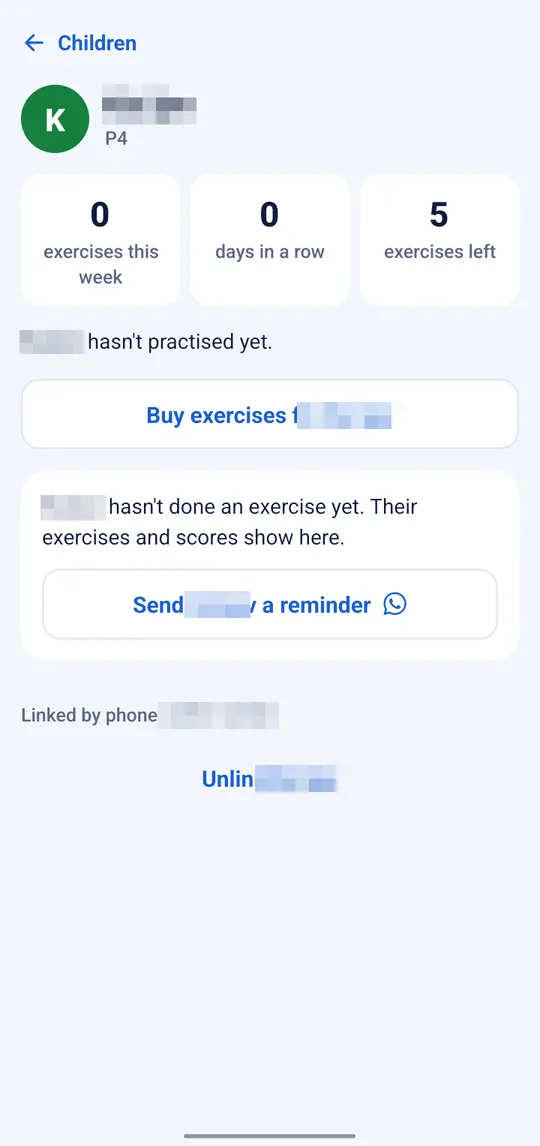
Tap a child's card to see their page:
- Exercises this week, days in a row, and exercises left.
- Their exercises and scores, once they've done some.
- Buy exercises for them from your own phone.
- Send a reminder on WhatsApp when it's time to practise.
03
Brothers and sisters on one phone
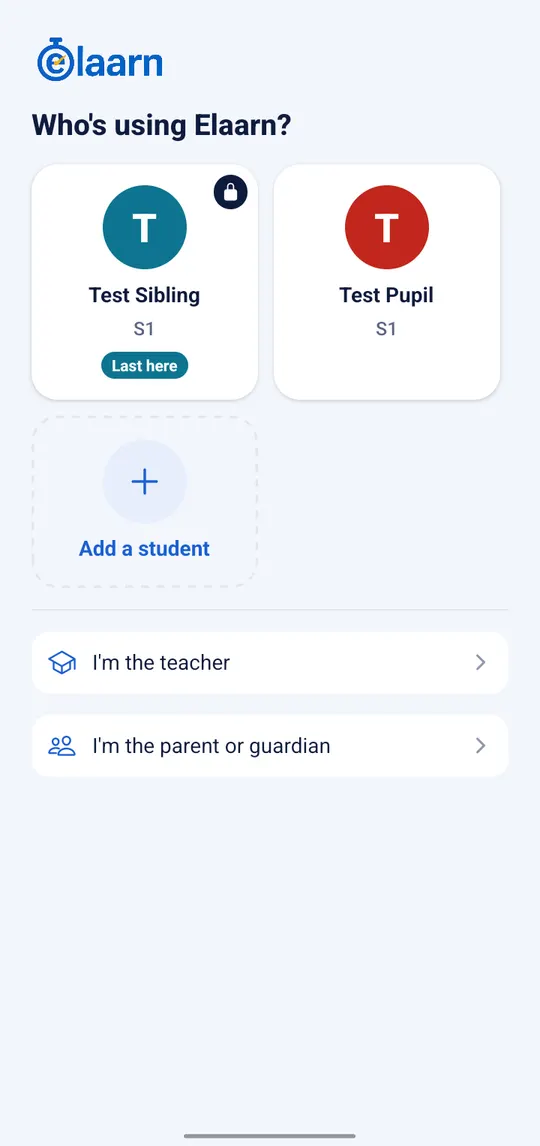
Add every child under Me → Add another student. Each child has their own progress and exercises.
With more than one person, Elaarn opens on Who's using Elaarn?, with a card for each child and I'm the parent or guardian below.
04
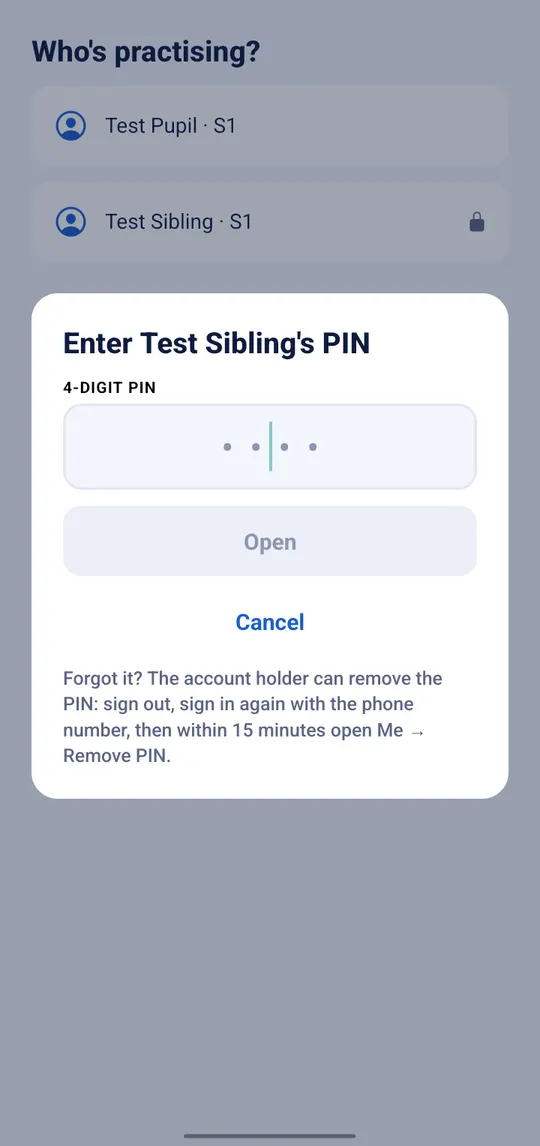
Lock a child's profile with a PIN
Lock a profile with a 4-digit PIN under Me, so each child only opens their own. Forgot the PIN? The account holder signs in again and removes it.
05
One number for every role, and help when you need it
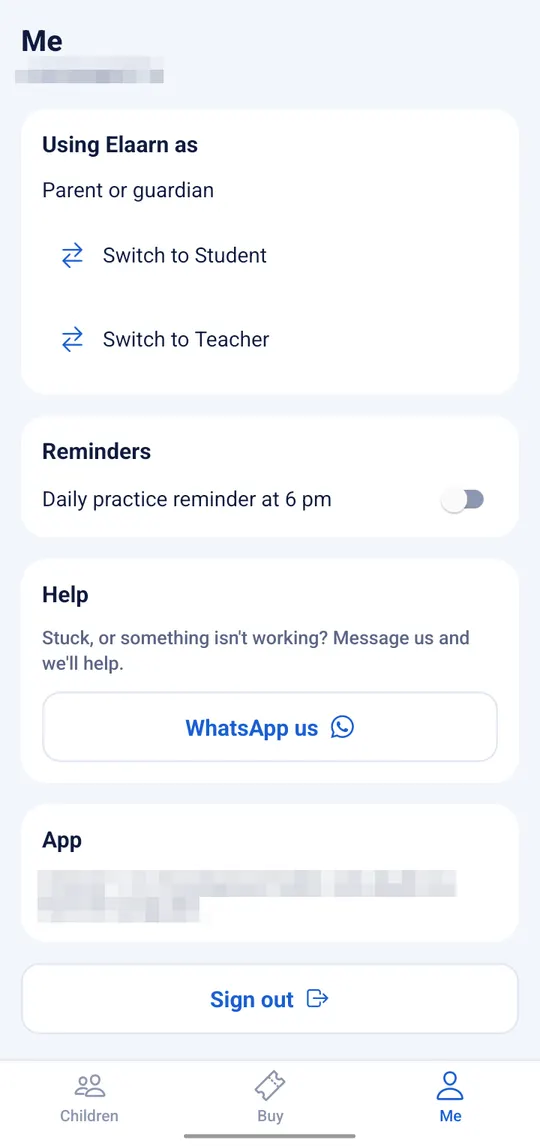
- Using Elaarn as lets one phone number be a parent, a student and a teacher: tap Switch to Student or Switch to Teacher.
- Reminders: turn on a daily practice reminder at 6 pm.
- Help: stuck? Tap WhatsApp us and we'll help.
Start with 5 free exercises
New students get 5 free exercises, and one more free exercise every day.
Get the Elaarn appScreens are from the Android app with test accounts. The app keeps improving, so yours may look a little different.